BASE BROS Solutions Explained: 3D Viewer, Configurator, AI and AR
BASE BROS (BASE) is a 3D, augmented reality and AI technology company. For brands, it offers 3D Viewer, 3D Configurator, 3D Generator, Augmented Reality, Digital Spaces and Virtual Reality. The viewer, AI 3D generation and WebAR are self-serve in BASE 3D-AR Studio, while configurators, digital spaces and VR are custom projects that the BASE BROS team designs and builds. This guide explains what each solution does, when a brand needs it and how to start.
Key takeaways
- BASE BROS was founded in 2021 at Teknopark Istanbul and is headquartered in Istanbul, Turkey.
- The Studio is the self-serve product: upload or generate a 3D model, edit it and publish a live 3D-AR page, free to start.
- 3D configurators, digital spaces, VR and location-based AR campaigns are custom projects.
- AR runs in the mobile browser with no app: AR Quick Look on iPhone and iPad, WebXR in Chrome on Android.
Who is BASE BROS?
BASE BROS (BASE for short) is a 3D, augmented reality and AI technology company founded in 2021 at Teknopark Istanbul and headquartered in Istanbul, Turkey. Its R&D center at Teknopark Istanbul works on WebGPU rendering, generative AI for 3D and browser-based augmented reality.
The team started by building 3D product experiences, AR campaigns and configurators for brands, then turned that work into the Studio. Brands that use BASE BROS 3D and AR solutions include Bosch, Volvo, Turkcell, Yamaha, Koç, Karaca, LC Waikiki, Zorlu, Pronet, Nacar, Homend and Rebul. See About BASE BROS for company facts and the leadership team.
What solutions does BASE BROS offer?
The sections below cover each BASE BROS solution in the same order as the site menu. BASE BROS also delivers custom 3D product visualization and 3D modeling for brands that don't have 3D files yet. For examples by industry, see BASE use cases.
3D Viewer
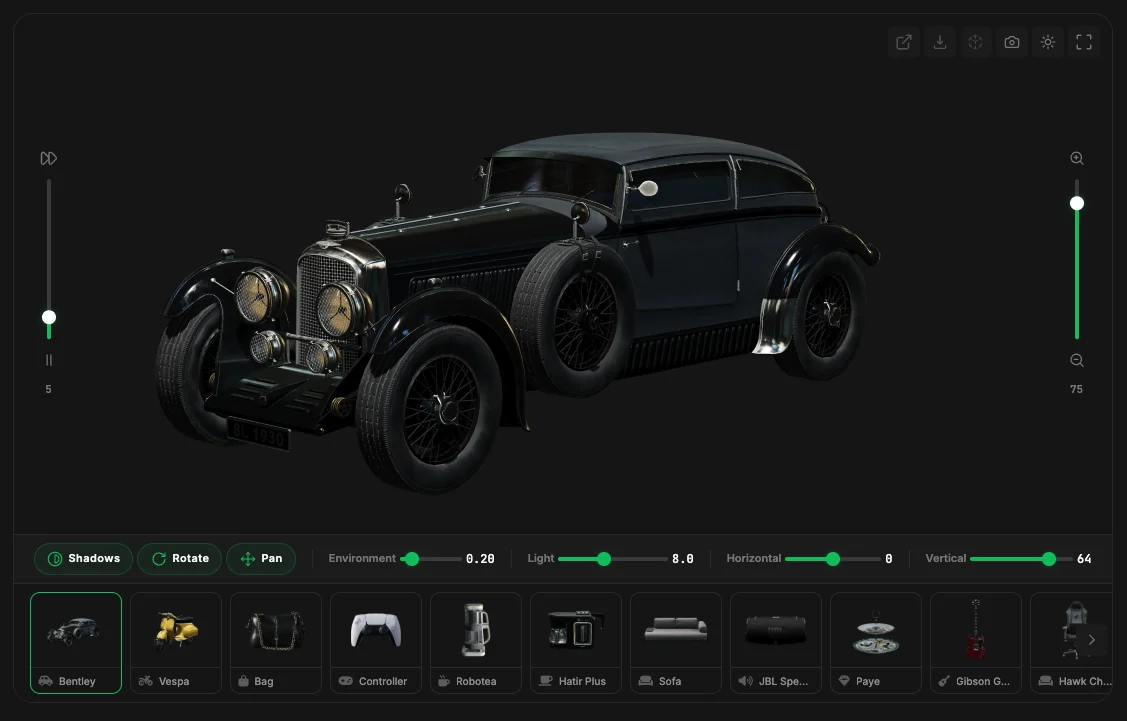
A 3D viewer is an interactive frame on a web page that lets people rotate, zoom and inspect a 3D model. The BASE 3D Viewer renders with WebGPU and offers real-time shadows and reflections, PBR materials, 20 built-in HDRI environments and an automatic WebGL fallback. Every model gets its own hosted 3D-AR page with a shareable link, a QR code and an iframe embed code.
When a brand needs it: when buyers need to see shape, finish and detail from every angle, on product pages, in catalogs or in museums.
Real examples: on the BASE BROS Showcase, Nacar's Heritage Watch Collection presents watches in ultra-realistic 3D with a strap and dial configurator and AR placement, and Homend's Small Appliance Showcase adds feature hotspots to coffee makers and blenders.
3D Configurator
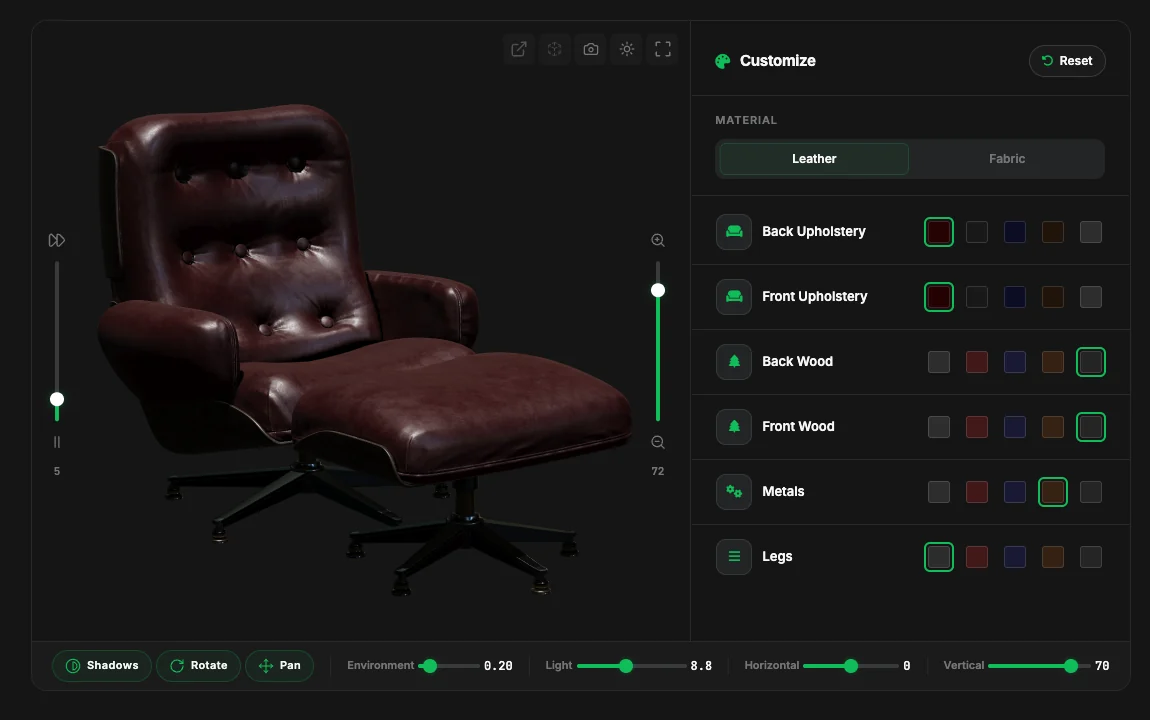
A 3D product configurator lets customers change the colors, materials and variants of a product on a 3D model and see each change in real time. BASE BROS designs and develops tailored 3D product configurators as custom projects, with real-time customization and an AR preview. Configurators are not a Studio feature; the team builds each one for the brand.
When a brand needs it: when a product comes in many combinations of fabric, color, size or pattern, and photographing every option is impractical.
Real examples: Addo's Office Furniture Customizer lets buyers configure colors, materials and patterns for desks, chairs and tables, then preview them in AR. Wongleon's Parasol Configurator covers model, fabric, color and frame, and Premlux's Pergola Configurator changes profile colors in real time.
3D Generator
The 3D Generator creates production-ready 3D models with AI from a text prompt (text to 3D) or reference photos (image to 3D). It runs inside the Studio with six AI engines: Meshy, Tripo, Rodin, Hunyuan, TRELLIS and Pixal3D. Output is a GLB with PBR materials by default; every result is saved to the Library with its own 3D-AR page and can be downloaded as GLB or USDZ.
When a brand needs it: when a product has no 3D file yet, or a team wants a starting model before manual 3D modeling. No 3D skills are needed.
Augmented Reality
Augmented reality (AR) places a 3D model in the real world through a phone or tablet camera. BASE BROS builds browser-based augmented reality (WebAR): customers scan a QR code or tap a button and see the product at true scale in their own space, with no app download. iPhone and iPad open Apple AR Quick Look with a USDZ file that BASE builds automatically from the GLB, and Android opens AR with WebXR in Chrome. Surface tracking (plane detection) finds a real surface such as a floor or table and places the model on it at true scale. Desktop does not open AR; it shows a QR code that opens the page on the visitor's phone.
When a brand needs it: when size and fit in a real room matter, or when packaging and print need a QR code that opens the product in 3D. For background, read What is WebAR and How It Transforms E-Commerce.
Real example: BASE BROS also delivers location-based AR campaigns. LC Waikiki's Location-Based AR Campaign combined an interactive Turkey map, real-world mascot discovery and surprise coupon rewards.
Digital Spaces
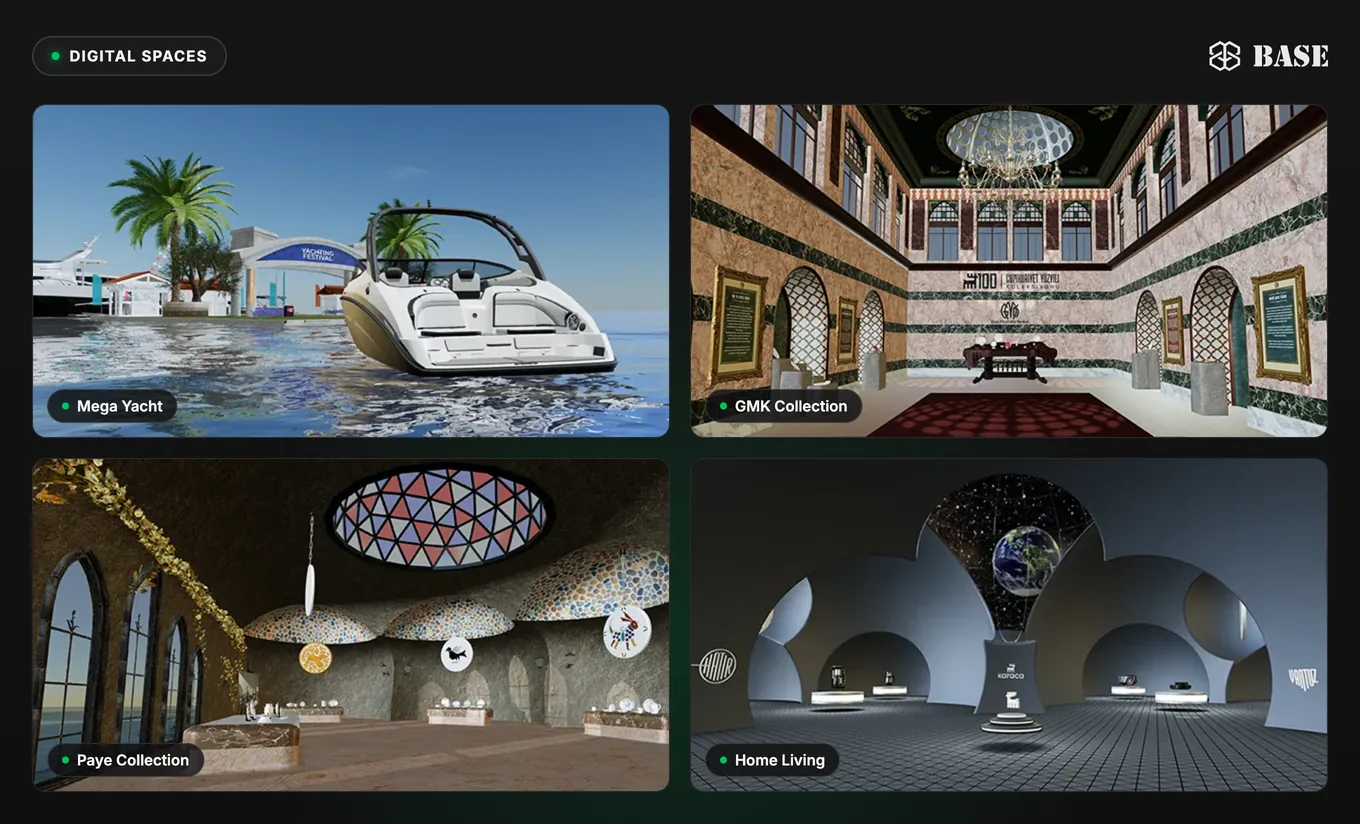
Digital Spaces are web-based virtual showrooms: walkable, interactive 3D environments that visitors explore in the browser. BASE BROS builds them as custom projects.
When a brand needs it: when a collection, a launch or a brand story needs a place to be explored rather than a single product page.
Real examples: Karaca's Full Digital Ecosystem combines 3D product viewers, browser-based AR and digital showrooms, and Zorlu's Energy Sustainability Map presents production facilities and sustainability projects on an interactive 3D map of Turkey.
Virtual Reality
Virtual reality (VR) places people fully inside a 3D world through a headset. BASE BROS builds VR experiences for product showcases, virtual tours and interactive presentations as custom projects, scoped and developed for each brand. VR is not part of the Studio.
When a brand needs it: when the goal is full immersion, such as virtual stores, property tours or virtual test drives.
Which BASE solution fits which goal?
Many projects combine solutions, such as a configurator with an AR preview. Use this table as a quick guide.
| Your goal | Best-fit solution | How you get it |
|---|---|---|
| Show products in interactive 3D on your site | 3D Viewer | Self-serve in the Studio |
| Let shoppers change colors, materials and variants | 3D Configurator | Custom project |
| Create 3D models from a prompt or photos | 3D Generator | Self-serve in the Studio |
| Let customers place products at true scale at home | Augmented Reality | Self-serve in the Studio; AR campaigns as custom projects |
| Open a walkable virtual showroom in the browser | Digital Spaces | Custom project |
| Deliver a fully immersive headset experience | Virtual Reality | Custom project |
| Publish more than 2,000 models or get custom 3D modeling | Enterprise | Contact Sales |
How does BASE 3D-AR Studio relate to these solutions?
The Studio is the self-serve product behind the lineup, a browser-based, AI-WebGPU powered 3D and AR studio. You upload a .GLB or generate a model with AI, edit materials and scenes in real time, and publish a live 3D-AR page, with embed code and analytics, that opens in AR on iPhone, iPad and Android (in Chrome) without an app. That makes the 3D Viewer, the 3D Generator and WebAR self-serve, with no code. For a step-by-step walkthrough, read How to Create a 3D and AR Product Page with BASE 3D-AR Studio.
Configurators, digital spaces, VR and location-based AR campaigns are custom projects that the BASE BROS team builds for each brand, including the 3D models when needed. Above 2,000 models, the Enterprise plan applies.
Studio pricing is per model: Free includes 3 live models and 3 new models a month with no credit card required; Pro is $0.50 per model per month at the launch price (minimum 40 models, $20 a month); and Enterprise has custom pricing. See Studio pricing for details. Two free tools need no account and never upload your file: Quick View opens a .GLB of up to 50 MB instantly, and Model Optimizer makes lighter GLB files for web and AR.
How do you get started with BASE BROS?
- Define your goal. Match it to a solution using the table above.
- Check your 3D files. The Studio accepts .GLB (Binary glTF) files of up to 50 MB; convert FBX, OBJ or STL to GLB first, and see how to prepare 3D models for web and AR.
- Start for Free. Sign up at studio.basebros.com, upload or generate a model, adjust it and publish. The Studio documentation covers each step.
- Embed and share. Paste the iframe embed code into your website, or share the live link and QR code.
- Contact Sales for custom work. For a configurator, a digital space, VR, an AR campaign or more than 2,000 models, contact the BASE BROS sales team with a short project description.
Frequently asked questions
What is BASE BROS?
BASE BROS (BASE) is a 3D, augmented reality and AI technology company founded in 2021 at Teknopark Istanbul and headquartered in Istanbul, Turkey. It builds BASE 3D-AR Studio and delivers 3D viewers, 3D product configurators, AI 3D model generation, WebAR, digital spaces and VR for brands.
What is the difference between a 3D viewer and a 3D product configurator?
A 3D viewer shows a product as an interactive 3D model that people can rotate, zoom and open in AR. A 3D product configurator also lets them change colors, materials and variants in real time. At BASE BROS, the viewer is self-serve in BASE 3D-AR Studio, while configurators are custom projects.
Do customers need an app to see BASE models in AR?
No. BASE AR runs in the mobile browser: iPhone and iPad open Apple AR Quick Look with a USDZ file, Android opens AR with WebXR in Chrome, and surface tracking places the model on a real surface at true scale. Desktop visitors get a QR code that opens the page on their phone.
Which 3D file format does BASE 3D-AR Studio use?
BASE 3D-AR Studio accepts .GLB (Binary glTF) files of up to 50 MB each. FBX, OBJ or STL files need to be converted to GLB first, and models can be downloaded as GLB or USDZ.
How much does BASE 3D-AR Studio cost?
The Free plan costs $0 and includes 3 live models and 3 new models a month, no credit card required. Pro is $0.50 per model per month at the launch price, with a minimum of 40 models ($20 a month), and Enterprise has custom pricing.
How do I start a custom 3D configurator, digital space or VR project?
Contact BASE BROS sales through the Contact page or at info@basebros.com with a short project description.
Start with the right BASE solution
To publish 3D and AR yourself, start for free in the Studio. To plan a configurator, a digital space, VR or an AR campaign, contact sales.