GLB vs USDZ: How to Prepare 3D Models for Web and AR
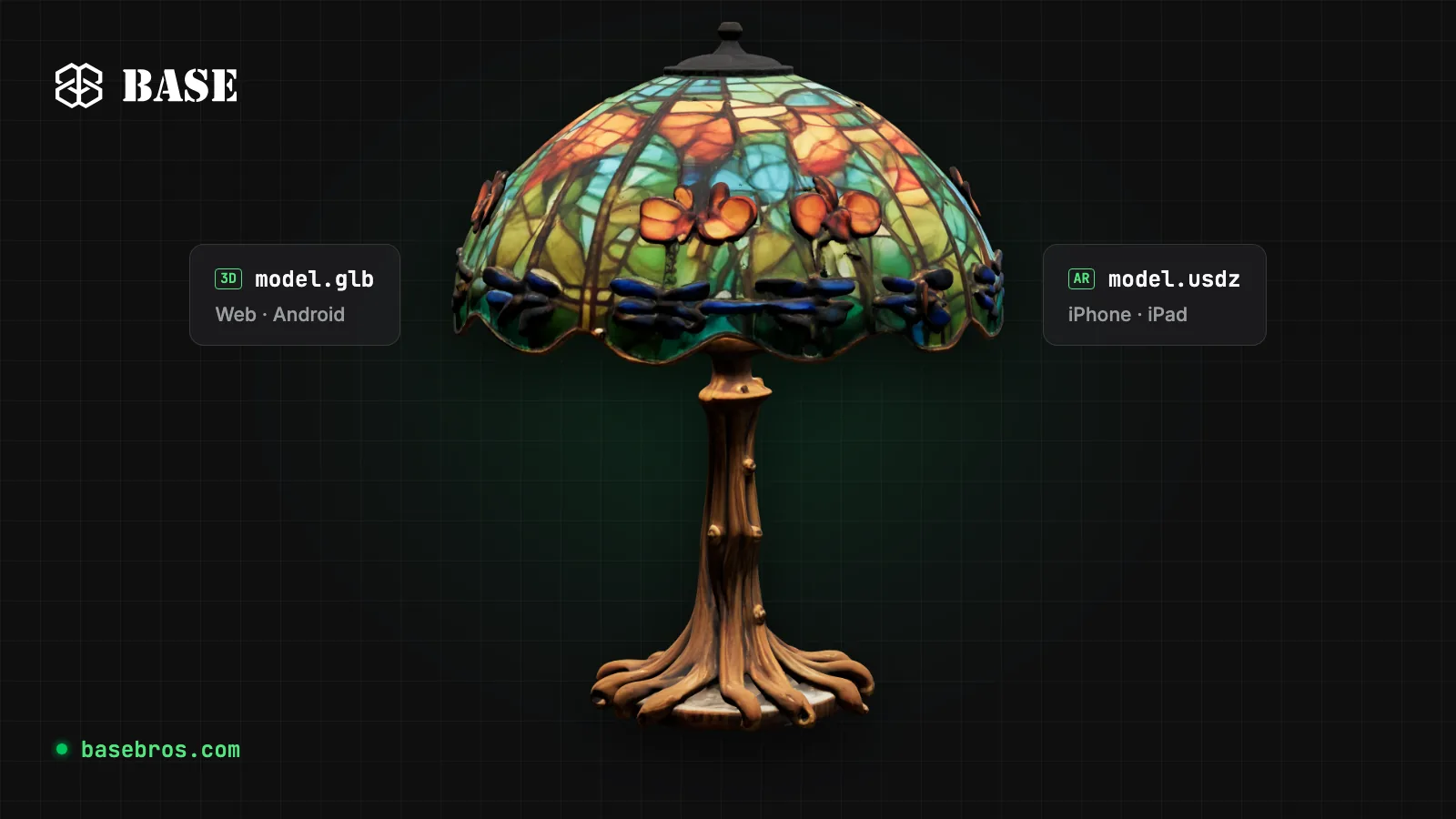
GLB and USDZ are the two file formats that put 3D products on screens and into real rooms. GLB, the single-file binary form of glTF, is the standard for 3D on the web and for AR on Android, while USDZ is the format Apple's AR Quick Look opens on iPhone and iPad. With BASE 3D-AR Studio by BASE BROS, you prepare one optimized GLB and the Studio builds the USDZ for iOS from it automatically.
Key takeaways
- GLB packs geometry, PBR materials, textures and animations into one binary file, which is why web viewers and Android AR use it.
- USDZ is the package AR Quick Look opens on iPhone and iPad. Android does not use USDZ.
- A light model comes from four levers: fewer triangles, right-sized textures, an efficient texture format and Draco geometry compression.
- Set the real-world size before you publish, so the product appears at true scale in AR.
- The Studio lets you optimize your GLB in More Details > Optimize (AI models start optimized) and builds the USDZ for you; Quick View and Model Optimizer check and lighten a GLB for free.
What is a GLB file?
A GLB file is the binary form of glTF 2.0, the open 3D transmission format maintained by the Khronos Group. Where a .gltf scene can be split across several files, a .glb packs geometry, materials, textures and animations into one, so a single URL carries the whole model.
glTF describes materials with the physically based rendering (PBR) metallic-roughness model: base color, metalness, roughness, normal, occlusion and emissive maps. That is why the same GLB looks consistent across web viewers, game engines and AR. Registered glTF extensions add lighter delivery, including Draco mesh compression and WebP textures.
The Studio accepts .glb uploads of up to 50 MB, and the AI 3D Generator always exports GLB, with PBR textures by default. FBX, OBJ and STL are not accepted, so convert them to GLB first (Blender, for example, exports GLB directly).
What is a USDZ file?
A USDZ file is an uncompressed zip package that holds a Universal Scene Description (USD) scene, the format created by Pixar, together with its texture images. Apple adopted USDZ for AR Quick Look, the AR viewer built into iPhone and iPad, so a USDZ file opens straight into AR without an app.
USDZ plays by different rules than GLB. Its materials use USD's preview surface model. Draco reaches GLB through a glTF extension, but the USDZ files that AR Quick Look opens do not use Draco, and the package itself is an uncompressed zip. On iOS, triangle count and texture size are the main levers for file weight.
You rarely need to author USDZ by hand. Every 3D-AR page in the Studio gets a USDZ that BASE builds from your GLB, including your latest material edits. If you have a USDZ tailored for Quick Look, you can upload your own .usdz of up to 50 MB in Page Designer instead.
Which 3D format does each device use for AR?
Each device type reads its own format. On a BASE 3D-AR page:
- Web browsers: the GLB loads in the 3D Viewer, which renders it with WebGPU or WebGL2, depending on the browser.
- iPhone and iPad: the View in AR button opens Apple AR Quick Look with the USDZ, which uses surface tracking to place the product on a real surface at true scale. No app is needed.
- Android: BASE opens AR with WebXR in Chrome, backed by ARCore, and surface tracking places the GLB with your latest materials on a real surface at true scale. Browsers without WebXR show a message to open the page in Chrome.
- Desktop: the AR button shows a QR code, so the visitor can continue on a phone.

Some Android AR setups use Google Scene Viewer, which also reads GLB; BASE uses WebXR inside the browser. Either way, Android never needs a USDZ. For more on browser-based AR, read What is WebAR and How It Transforms E-Commerce or see how the Augmented Reality solution works.
GLB vs USDZ: how do the two formats compare?
GLB is the source and web format; USDZ is the delivery format for Apple's AR viewer.
| GLB (binary glTF) | USDZ | |
|---|---|---|
| Origin | glTF 2.0, an open standard by the Khronos Group | Built on Pixar's USD, adopted by Apple for AR |
| Main use | Web 3D viewers, Android AR, game engines | AR Quick Look on iPhone and iPad |
| Structure | One binary file with geometry, materials, textures and animations | Uncompressed zip with a USD scene and its images |
| Materials | PBR metallic-roughness | PBR through USD's preview surface |
| Geometry compression | Draco, through a glTF extension | No Draco in AR Quick Look files |
| Texture formats | PNG and JPEG, WebP through an extension | Standard images such as PNG and JPEG |
| In BASE 3D-AR Studio | Upload format (up to 50 MB), live file and download | Built from your GLB, optional custom upload (up to 50 MB) and download |
How do you prepare a 3D model for web and AR?
Preparing a model means making it as light as possible without a visible loss of quality, then checking its size. Work through these steps in order:
- Export a clean GLB with embedded textures. If textures are missing after upload, re-export with Embed Textures enabled so they travel inside the file.
- Check the file before you upload it. Quick View opens a GLB of up to 50 MB in the Studio's viewer without uploading it.
- Reduce triangles to what the eye can see. Keep geometry where it shapes the silhouette and close-up details; remove it where flat or hidden areas carry more than they show.
- Right-size the textures. Cap the longest side at 2K (2048 px), the cap the Studio applies to uploads and AI models, or 1K (1024 px) for the lightest file.
- Choose an efficient texture format. WebP is about a quarter the size of PNG and looks the same on screen; PNG is lossless but loads slower on mobile.
- Compress geometry with Draco. Draco makes geometry up to 10x smaller with no visible change. Turn it off only for a tool that cannot read it.
- Set the real-world scale. AR shows the model at its real size, so enter the product's longest side in centimeters.
- Test AR on iPhone and Android. Open the page on an iPhone and on an Android phone in Chrome, and check size, materials and loading in a real room.
How many triangles does a model need for web and AR?
There is no single right number: it depends on the product, how close shoppers zoom in and which phones they use. AI generators can return very dense meshes; on some engines the top polygon step reaches millions of faces.
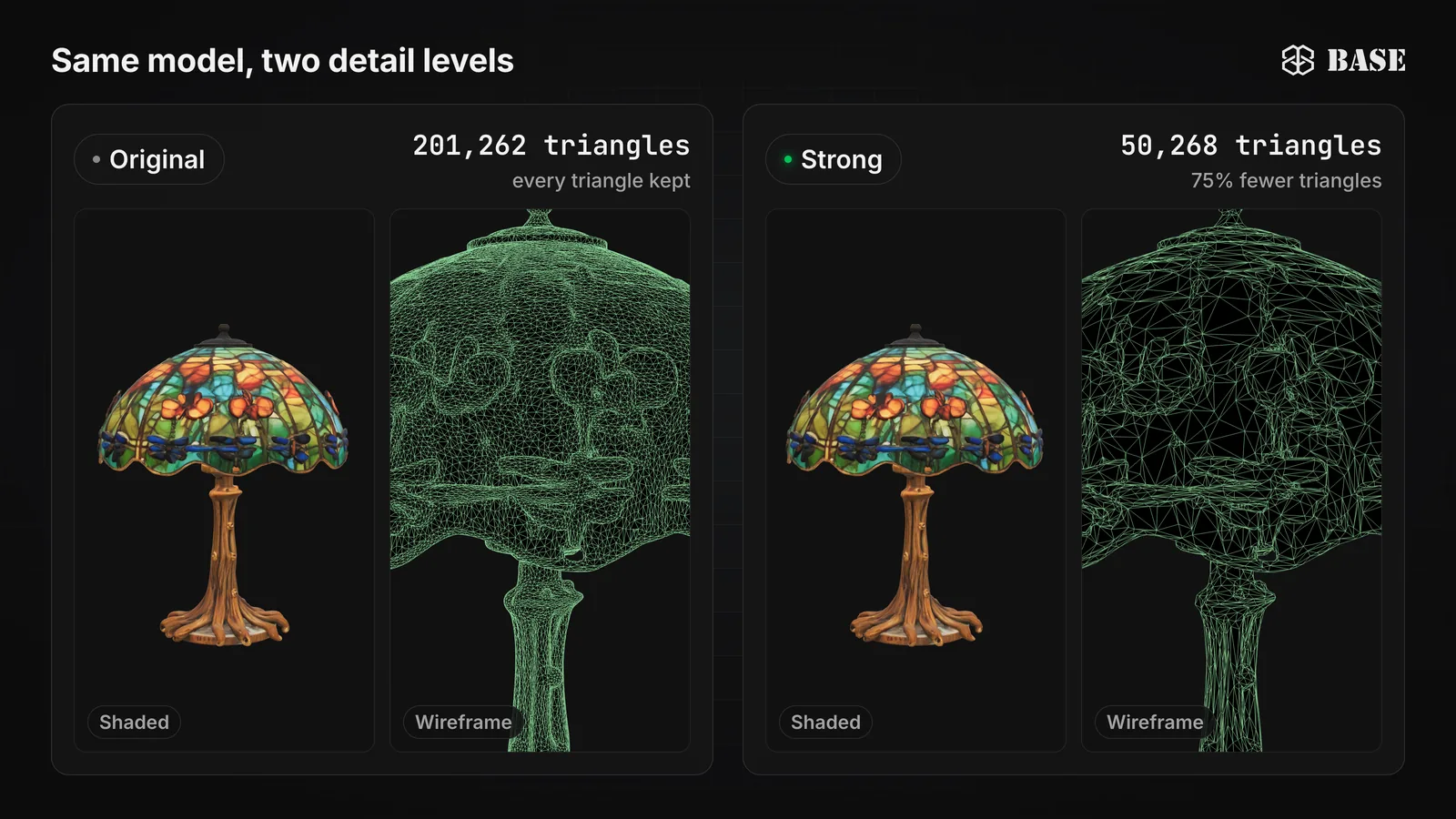
The image shows a lamp generated in the Studio, as featured on the BASE BROS homepage, at two detail levels. Measured on that homepage copy with the Studio's reduction method, Original has 201,262 triangles and Strong, which targets about 75 percent fewer, has 50,268. The shaded lamp keeps its shape while the wireframe shows how much lighter the mesh became. When the shaded views look the same, the lighter level wins for web and AR.
How does BASE 3D-AR Studio handle GLB and USDZ?
The Studio keeps one GLB as the source for each model and derives everything else from it:
- Optimize the live file. More Details > Optimize shows your model at Original, Light, Balanced and Strong (about 25, 50 or 75 percent fewer triangles), each with a wireframe preview and triangle count, plus WebP, PNG or Keep textures at 1K or 2K and Draco. The final file size is measured before you press Apply (very large files show it after Apply), and Revert restores the backup.
- Keep iPhone in sync. After you apply an optimization, the Studio rebuilds the USDZ for iPhone in the background.
- Start AI models optimized. Right after a generation in the 3D Generator, the Studio applies Balanced, WebP, 2K and Draco automatically.
- Download either format. The Download popup offers GLB or USDZ, a triangle level, texture format and size, Draco and your material edits. A USDZ carries PNG textures capped at 2K and no Draco. Downloads are free.
- Carry the real size. Controls > Model Scale sets the real-world size, as a multiplier or as the longest side in centimeters; AR shows exactly that size, and every download keeps it.
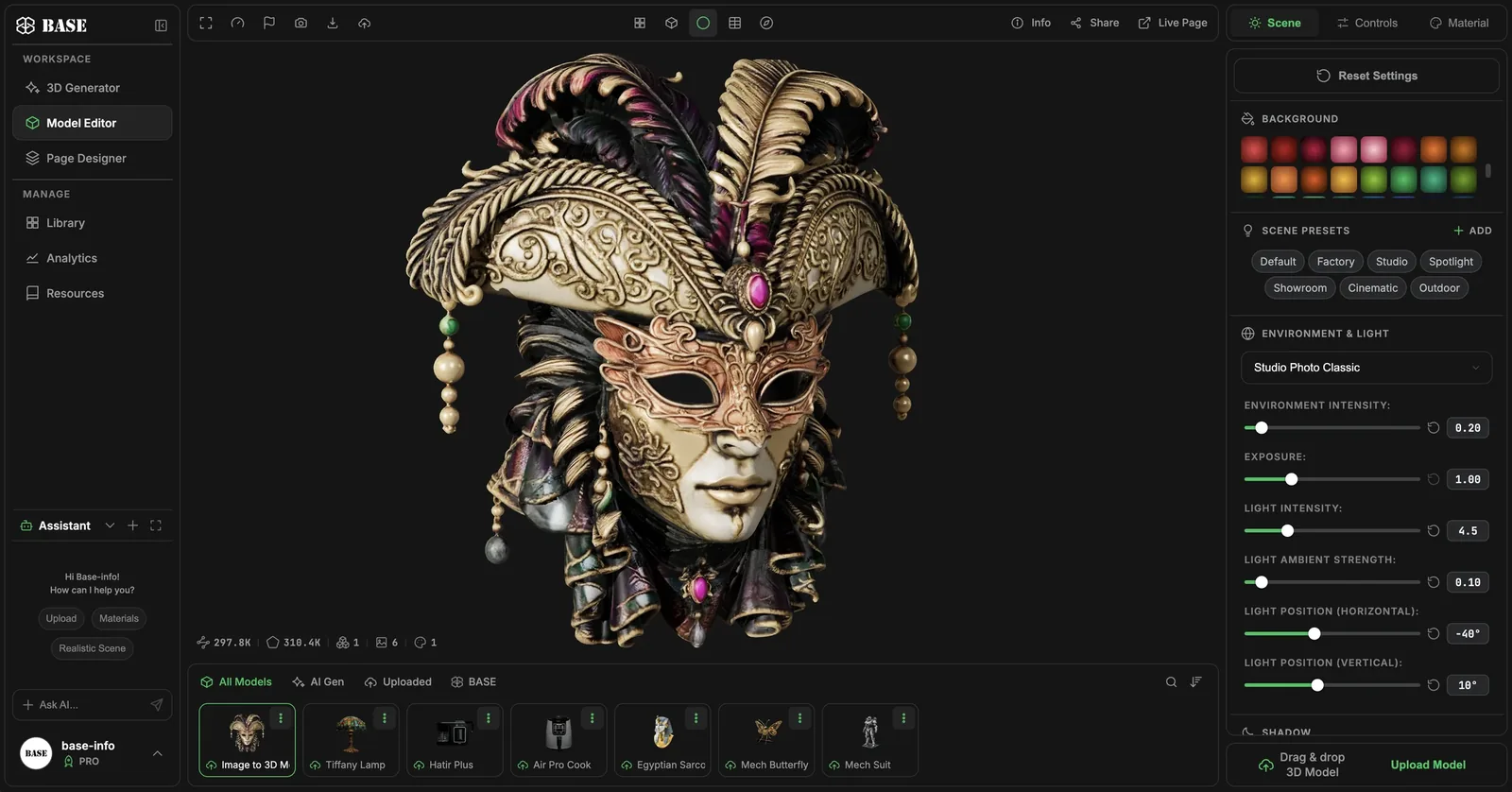
The Model Editor shows the vertices, faces, meshes, textures and materials of the model on screen, so you can see what makes a file heavy. The Studio documentation lists every option, the step-by-step guide to a 3D and AR product page covers publishing, and the Showcase shows live 3D-AR projects.
Can you optimize a GLB without an account?
Yes. BASE BROS offers two free browser tools that need no account and never upload your file:
- Quick View opens a .GLB of up to 50 MB instantly in the same viewer the Studio uses, a private way to check a file before uploading it.
- Model Optimizer shows a .GLB of up to 150 MB (50 MB on screens up to 1024 px wide) at four detail levels with real triangle counts, lets you choose WebP, PNG or the original textures at 1K or 2K, adds Draco and downloads the lighter file.
Neither tool changes a published page; for that, use More Details > Optimize in the Studio.
Frequently asked questions
Is GLB or USDZ better for AR?
Neither is better on its own, because each device type reads its own format: iPhone and iPad open USDZ in AR Quick Look, while web viewers and Android AR use GLB. The practical answer is one GLB source with a USDZ generated from it.
Can I upload a USDZ file to BASE 3D-AR Studio?
Models are uploaded as .GLB only, up to 50 MB per file. You can add an optional custom .usdz of up to 50 MB in Page Designer as a tailored iOS AR asset; without one, the Studio builds the USDZ from your GLB.
Does Android use USDZ for AR?
No. Android AR works with glTF and GLB files. On BASE 3D-AR pages, Android uses WebXR in Chrome with the GLB, and a browser without WebXR asks the visitor to open the page in Chrome.
How do I make a GLB file smaller?
Reduce triangles, cap textures at 2K or 1K, convert them to WebP and turn on Draco. Model Optimizer does all four in your browser for free, and More Details > Optimize does it for a live model in the Studio.
Why does my model appear at the wrong size in AR?
AR uses the model's real-world size, so a file exported in the wrong units shows too big or too small. In the Studio, set Controls > Model Scale to the longest side in centimeters and save.
Get your 3D models ready for web and AR
GLB and USDZ are not rivals: GLB is the source and the web format, USDZ the delivery format for iPhone and iPad. Start from a clean GLB, cut triangles and texture weight until the eye cannot tell, set the real-world size and let the Studio handle the USDZ.
Start for free in BASE 3D-AR Studio with no card needed, compare capacity on the pricing page, or contact our team about more than 2,000 models or a custom 3D project. See the full BASE BROS lineup.